
The standard YouTube video dimensions are 1920×1080 pixels in a 16:9 aspect ratio. Shorts flip that to 1080×1920 at 9:16.
Pick the wrong size and YouTube adds black bars, crops your frame, or blurs your thumbnail. This guide gives you the right YouTube video size, the best export settings, and quick fixes.
Table of Contents
YouTube Video Dimensions and Aspect Ratios at a Glance
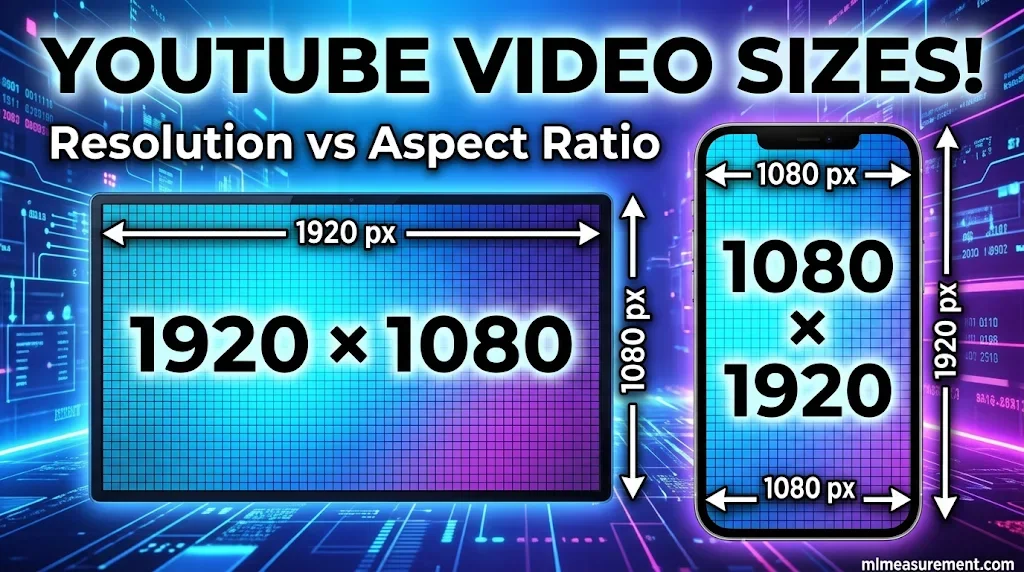
What are the best YouTube video dimensions? Use 1920×1080 (1080p, Full HD) for standard videos. Use 1080×1920 for Shorts. Moda and Inkrypt both list these as the recommended sizes.
Two terms cause most of the confusion:
- Resolution is the pixel count, like 1920×1080. That means 1,920 pixels wide and 1,080 tall.
- Aspect ratio is the shape, like 16:9. It tells you how wide the frame is compared to its height.
Here is a quick test. Divide width by height. If you get about 1.78, the video is 16:9. Both 1920×1080 and 1280×720 pass.
| Resolution | Dimensions (16:9) | Dimensions (9:16) | Quality label |
|---|---|---|---|
| 240p | 426×240 | 240×426 | SD |
| 360p | 640×360 | 360×640 | SD |
| 480p | 854×480 | 480×854 | SD |
| 720p | 1280×720 | 720×1280 | HD |
| 1080p | 1920×1080 | 1080×1920 | Full HD |
| 1440p | 2560×1440 | 1440×2560 | 2K |
| 2160p | 3840×2160 | 2160×3840 | 4K UHD |
| 4320p | 7680×4320 | 4320×7680 | 8K UHD |
Source: Riverside.
Best YouTube Video Dimensions for Long-Form Videos and Shorts
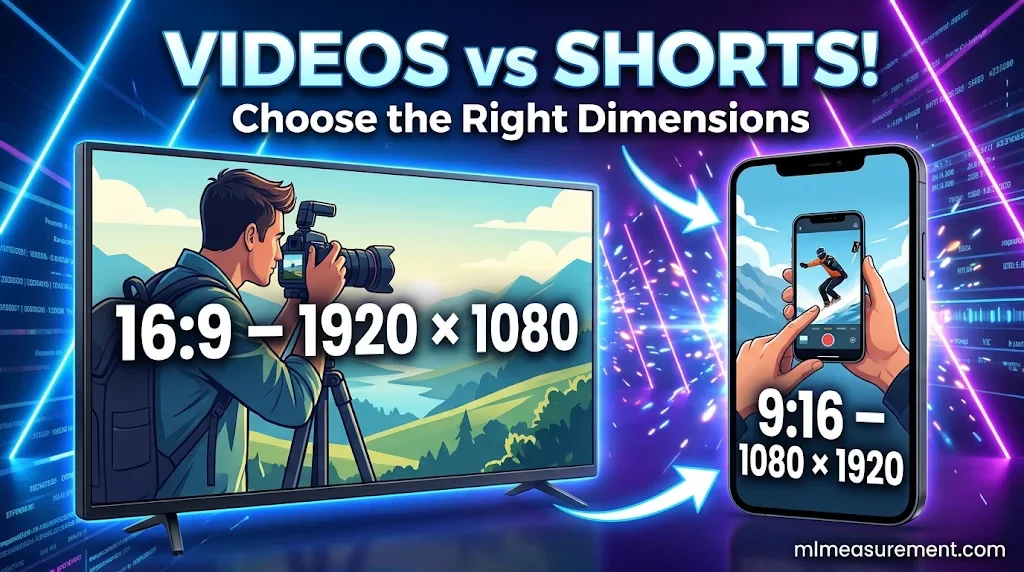
For regular uploads, 1080p is the safe default. Go higher if your footage supports it. Plann notes that close to half of YouTube viewing happens on TV screens. That makes sharp video worth the effort.
Just as choosing the correct video dimensions ensures your content fits the screen perfectly, selecting the right mattress dimensions helps create a comfortable and well-planned bedroom. If you’re comparing larger mattress options, understanding California King bed dimensions can help you determine whether this extra-long mattress is the right fit for your space.
Why upload higher than you need? YouTube re-encodes every file. Moda says a 4K upload can produce a sharper 1080p stream than a native 1080p file. Your source quality sets the ceiling.
Now for Shorts. A video becomes a Short when it meets two rules, per YouTube Help:
- It has a square or vertical aspect ratio.
- It runs up to three minutes.
That rule applies to uploads from October 15, 2024. Older guides that say 60 seconds are out of date.
This catches people off guard. A vertical clip under three minutes lands in Shorts whether you meant it or not. A 16:9 clip never does, at any length.
What about other shapes? YouTube also accepts 1:1 and 4:3. Inkrypt says standard uploads can range from about 2:5 to 5:2. The desktop player adds black bars to anything that isn’t 16:9.
Ads use 16:9, 9:16 or 1:1, per Riverside. Their top size is 1920×1080 for horizontal and 1080×1920 for vertical.
YouTube Export Settings: Format, Bitrate, and File Size
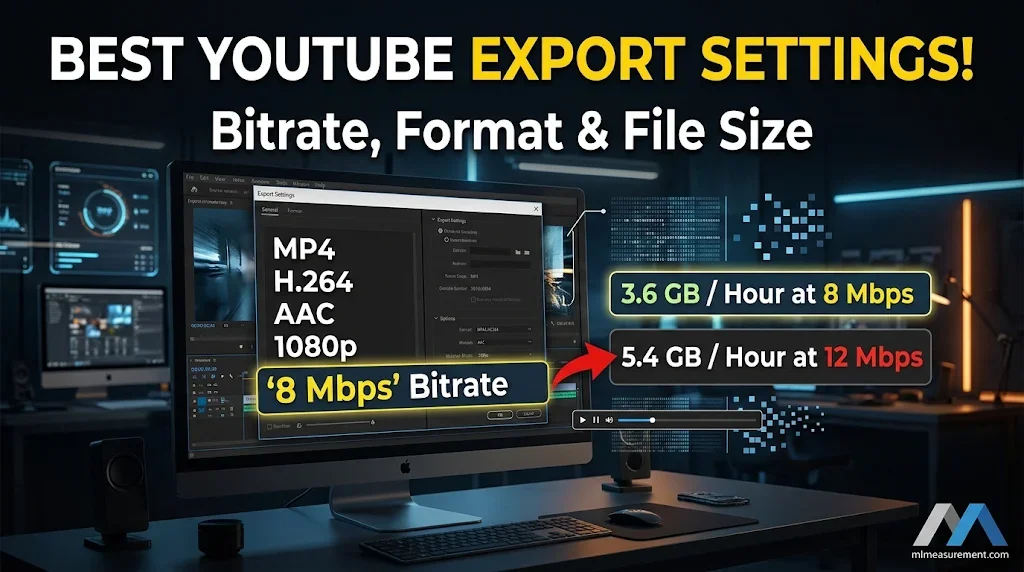
Start with the container and codecs. YouTube recommends MP4 with H.264 video and AAC-LC audio, per Riverside. It also accepts MOV, AVI, WMV, FLV, WebM, ProRes and HEVC.
Keep your native frame rate. Don’t convert it. Common rates are 24, 25, 30, 48, 50 and 60 fps.
What bitrate should you use? YouTube Help lists these SDR targets:
| Resolution | 24–30 fps | 48–60 fps |
|---|---|---|
| 720p | 5 Mbps | 7.5 Mbps |
| 1080p | 8 Mbps | 12 Mbps |
| 1440p | 16 Mbps | 24 Mbps |
| 4K (2160p) | 35–45 Mbps | 53–68 Mbps |
HDR needs higher bitrates. YouTube lists 10 Mbps for 1080p HDR at 24–30 fps.
How large is a 1080p video file? Bitrate decides it. Here is the math: 8 Mbps equals about 1 MB per second. That is roughly 3.6 GB per hour. At 12 Mbps, it is about 5.4 GB per hour. A 10-minute 1080p clip at 8 Mbps lands near 600 MB.
Know the upload limits too. YouTube Help says the maximum is 256 GB or 12 hours, whichever is less. Unverified accounts are capped at 15 minutes. Verify your account to upload longer videos.
YouTube Thumbnail, Banner, and Wrong-Size Fixes
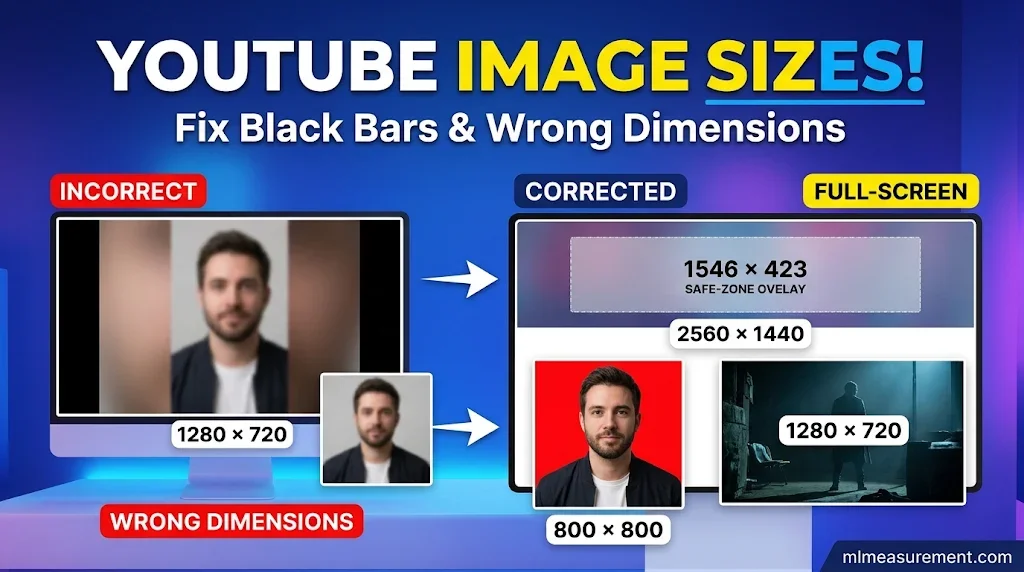
Get the supporting images right too. Per YouTube Help:
- Thumbnail: 1280×720, with a minimum width of 640 px and a file size under 2MB. Use JPG or PNG.
- Banner: 2560×1440. Keep key text inside the 1546×423 safe zone, per Plann.
- Profile photo: 800×800.
What happens at the wrong size? The player fills the gap with black bars. Black on the sides is pillarboxing. Black on the top and bottom is letterboxing. Thumbnails in the wrong shape get a blurred, magnified background, per Riverside.
Don’t bake bars into your file. YouTube Help says padding stops the player from adjusting to the viewer’s device.
Fix it at the source instead:
- Reframe or crop. Don’t stretch the picture.
- Match the shape. Make the thumbnail the same ratio as the video.
- Test it. Check on a phone, a desktop and a TV before you publish.
A quick pre-export checklist:
- Pick 16:9 or 9:16.
- Set the resolution (1080p or higher).
- Choose MP4, H.264 and AAC.
- Match your bitrate to the table above.
- Preview before you upload.
FAQs
Is a YouTube video 1920×1080?
Often, yes. 1920×1080 (1080p) is the common standard, but it isn’t the only size. YouTube accepts everything from 426×240 up to 7680×4320.
Is YouTube 16×9 or 4×3?
16:9 is the standard. YouTube still plays 4:3, but the desktop player adds black bars.
How large is a 1920×1080 video?
It has about 2.07 million pixels (1920 x 1080). As a file, it runs roughly 3.6 GB per hour at 8 Mbps, or 5.4 GB per hour at 12 Mbps.
Is 1280×720 a 16:9 resolution?
Yes. 1280 divided by 720 is about 1.78, the same as 16:9. It is called 720p, or HD.
Conclusion
Remember two sizes: 1920×1080 for standard videos and 1080×1920 for Shorts. Set your bitrate and format before you export, then preview the result. A few minutes of checking saves you a bad upload.

Rehmaan Khan is a Measurement Content Researcher Specializing in MLmeasurement, Size Guides, Charts, and Simple Educational Measurement Content.