
The best iPhone wallpaper size is your model’s native resolution. For the iPhone 17, that is 1206 x 2622 pixels, per Apple’s tech specs.
A wrong size means cropping, blur, or a stretched image. This guide gives you the right numbers, the ratio rules, and quick fixes.
Table of Contents
iPhone Wallpaper Dimensions by Model (Size Chart)
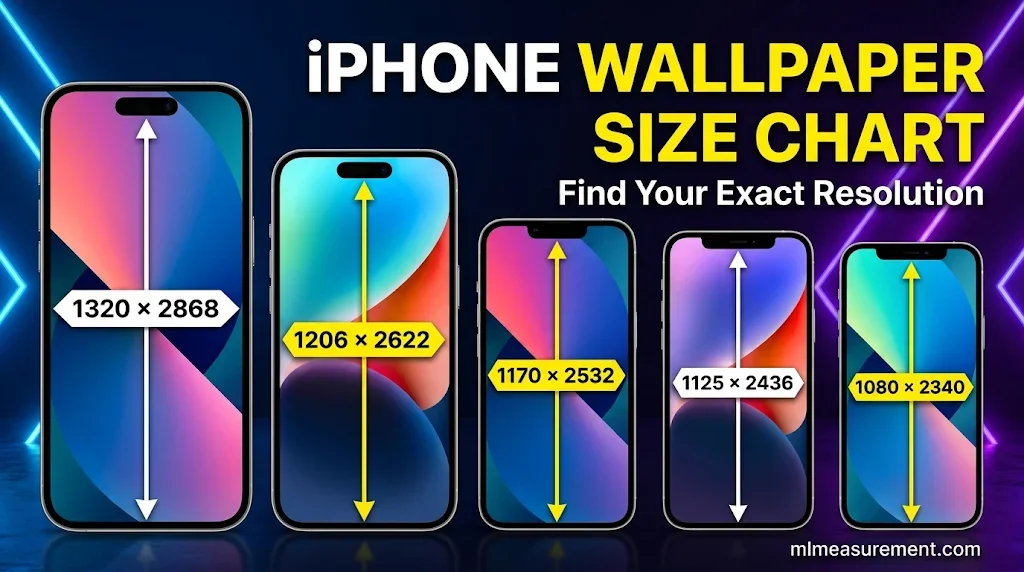
Many iPhones share the same screen resolution. So I grouped them by size. Find your model, then use that iPhone wallpaper resolution.
| Resolution (width x height) | iPhone models |
|---|---|
| 1320 x 2868 | iPhone 17 Pro Max, 16 Pro Max |
| 1260 x 2736 | iPhone Air |
| 1206 x 2622 | iPhone 17, 17 Pro, 16 Pro |
| 1290 x 2796 | iPhone 16 Plus, 15 Plus, 15 Pro Max, 14 Pro Max |
| 1179 x 2556 | iPhone 16, 15, 15 Pro, 14 Pro |
| 1170 x 2532 | iPhone 17e, 14, 13, 13 Pro, 12, 12 Pro |
| 1284 x 2778 | iPhone 14 Plus, 13 Pro Max, 12 Pro Max |
| 1080 x 2340 | iPhone 13 mini |
| 1242 x 2688 | iPhone 11 Pro Max, XS Max |
| 1125 x 2436 | iPhone 11 Pro, XS, X |
| 828 x 1792 | iPhone 11, XR |
| 1080 x 1920 | iPhone 8 Plus, 7 Plus, 6s Plus, 6 Plus |
| 750 x 1334 | iPhone 8, 7, 6s, 6, SE (2020) |
| 640 x 1136 | iPhone SE (2016) |
Not sure which model you own? Open Settings, tap General, then About. Look for “Model Name.”
Sources do not always agree. Some sites list the iPhone 17 at 1290 x 2796. Apple lists 1206 x 2622. For the iPhone Air, Apple lists 2736 x 1260. For the iPhone 14 Pro, Apple lists 2556 x 1179. Always trust Apple’s numbers first.
iPad wallpaper size is different. Hexnode lists 2064 x 2752 for the iPad Pro 13-inch (M4/M5) and 1640 x 2360 for the iPad Air 11-inch. It also suggests a square 2752 x 2752 image for the iPad Pro 13-inch, so rotation does not crop the picture.
iPhone Wallpaper Resolution and Aspect Ratio Explained
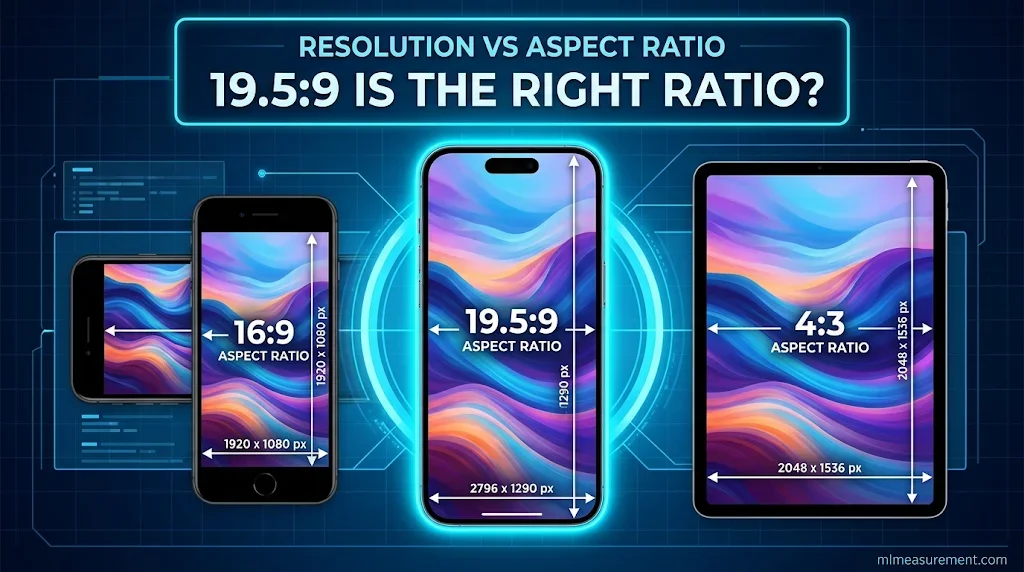
Resolution is the pixel count. Aspect ratio is the screen’s shape. Both matter.
Recent iPhones pack about 460 pixels per inch on OLED screens, according to Apple. That is dense, so small or low-quality images look soft fast.
While choosing the right iPhone wallpaper dimensions ensures a perfect screen fit, getting measurements right is equally important for larger everyday spaces and structures. If you’re planning a home improvement project, understanding standard garage door dimensions can help you choose the right fit for your garage opening.
The shape matters just as much. Divide height by width. The iPhone 17 gives 2622 ÷ 1206, which is about 2.17. That matches 19.5:9.
Older iPhones, like the iPhone 8, use 16:9. iPads often use a boxier 4:3 shape. Hexnode, DeviceFixes, and AppleInsider all stress the same point. Match the screen, and nothing gets stretched.
Tip: a slightly larger image is safer than an exact match. It leaves room for small shifts.
Lock Screen vs Home Screen Wallpaper Size
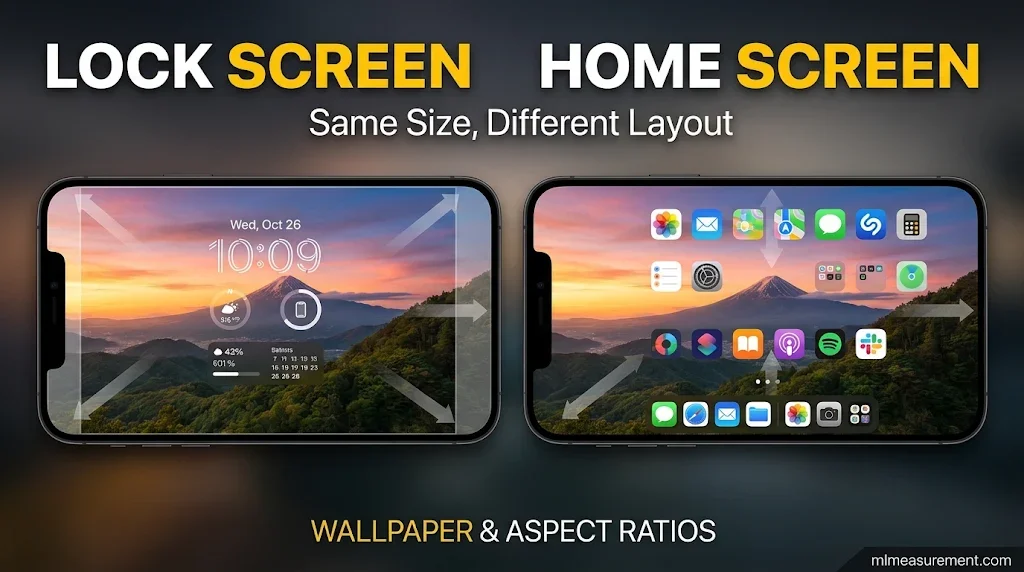
The iPhone lock screen wallpaper size is the same as the home screen size. But the two screens use the picture differently.
The lock screen puts a clock and widgets on top. Keep your main subject away from that area. A face or a pet works best in the middle.
The home screen fills with app icons. Busy photos make icons hard to read. Soft gradients and simple scenes work better.
Some iOS versions offer Perspective Zoom. It enlarges the image a little, so edges can get cropped. ESR notes you can turn it off if your photo’s edges go missing.
Portrait photos also work well, since iPhone screens are tall. Landscape photos lose their sides.
How to Resize a Photo to Fit Your iPhone Wallpaper
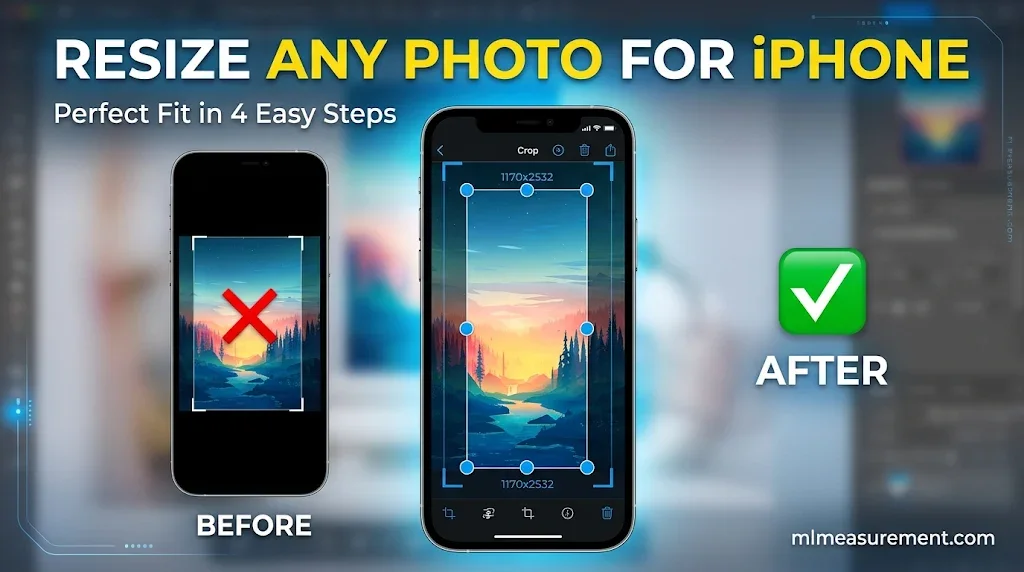
How do I resize a photo to fit my iPhone wallpaper? Use the Photos app first.
- Open the photo and tap Edit, then the crop tool.
- Pick the portrait shape and drag the frame over your subject.
- Tap Done, then go to Settings and tap Wallpaper.
- Choose the photo. Pinch to zoom until it looks right, then tap Set.
For exact control, use Canva. Choose custom dimensions and enter your model’s resolution. Put the smaller number first, as the width. Photoshop and Pixelmator Pro work the same way.
Quick fixes:
- Blurry? Use a bigger source image. DeviceFixes suggests 4K or your device’s resolution.
- Stretched? Keep the original ratio while resizing.
- Pixelated? Never enlarge a small image.
- Best format? JPG keeps quality with a small file size.
FAQs
Should I use 4:3 or 16:9 on iPhone?
Neither. Modern iPhones use about 19.5:9. A 16:9 or 4:3 image must be zoomed to fill the screen, so the sides get cropped. Pick a tall, portrait image instead.
Is an iPhone screen 16:9?
Only older models. The iPhone 6 through 8 and the SE (2016) use 16:9. Newer models have taller screens near 19.5:9.
What is the iPhone 17 wallpaper ratio?
About 19.5:9. The iPhone 17 screen is 1206 x 2622 pixels, per Apple.
How do I resize a photo to fit my iPhone wallpaper?
Crop it in the Photos app to a portrait shape. Or build a custom canvas in Canva at your model’s exact resolution. Export it as a JPG.
Conclusion
Match your model’s resolution. Keep the ratio near 19.5:9. Use a sharp, portrait image with the subject in the middle.

Rehmaan Khan is a Measurement Content Researcher Specializing in MLmeasurement, Size Guides, Charts, and Simple Educational Measurement Content.